After you see 7 Best Ways To Make More Money On Fiverr post, what did you do ? or did you have any question about that? Tell me anything you think i will explain it now.
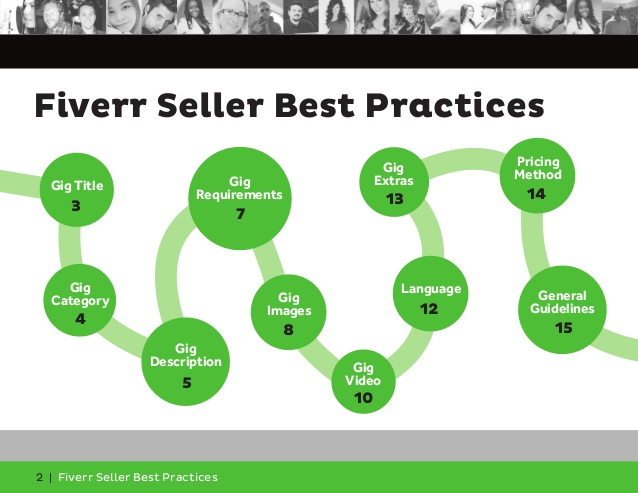
Here’s the big secret sauce and the main thing that will help to guarantee you at least 10 orders a day. You must upload a video for all your gigs. Fiverr is not lying when they say gigs sell better when they have a video. Your gig will appear higher up in searches and for Pete’s sake, there’s even a filter in searches to only view results that have videos. Do you really want to be left out of that? I know, what you’re thinking... “That’s the secret sauce? That’s it?” Well, there’s actually a little more to it. There’s also a secret ingredient to it. Keep reading!
You would be shocked as to how many sellers do not upload a video for their gigs. Even the successfully selling gigs would do twice as much in sales if they just had a video. The biggest thing I found experimenting with Fiverr, and that I never see anyone ever suggest, is something so simple. You need a video for all your gigs. And yes, it doesn’t even matter what you’re selling, you should create and upload a video for your gigs.
If you’re not camera shy, I recommend you record yourself. You can use a digital camera or even a webcam/camera phone if the quality is decent enough. You can use a free video editing software like Windows Movie Maker or something like Camtasia to edit the video if needed to add some background music or graphics. Again, you can pay someone on Fiverr to edit your video if you have no experience with this.
Sit in front of the camera, under some good lighting, and read off of a script. Keep it short and simple. Say it like you’re talking to a friend. Don’t be shy and give it a few takes. Here’s a sample script if you were to sell Twitter followers:
“Hey, I’m Corey! Do you like Twitter followers? I can get you over 1000 high quality Twitter followers for only five bucks, exclusively here on Fiverr! My services are fast and safe! Try me out! You guys won’t be disappointed! Thanks!”
On the video itself, I’d place a little Twitter graphic so people can see the Twitter logo in the video thumbnail. In the video itself, I’d put some cool, royalty free music (search YouTube for “royalty free music” and download it).
You need to be careful though. Lately, Fiverr have been very strict when it comes to moderating and deciding what videos are allowed on gigs. The two biggest things, it seems, is you must state your gig is “exclusively on Fiverr” and you must have good audio and video quality. Any videos which are out of sync or have poor lighting will be rejected. It’s also good practice to introduce yourself, something like “Hi, my name is....”
For some reason though, these rules are not shown on their website and you will go through a lot of rejections without reason unless you know what they are. Here are their rules:
- Video duration must be over 10 seconds and up to 30 seconds.
- Use only original videos made by you.
- Upload a video of yourself presenting your own gig. You may include samples of your work, editing effects etc. as long as the presentation remains personal and made by you
- Mention that your gig is offered exclusively on fiverr.com
- Do not use the same video for more than one gig
- Your video must be in reasonable quality, your voice has to be clear and easy to understand
- Promotion of third party services, websites or brands (in writing or narration) or providing a direct means of communication will not be allowed
- Offering a service for any price other than $5 is not allowed
- Make sure your video and gig adheres with our Terms of Service.
- Videos related to self improvement, getting rich methods, black hat marketing and similar are not permitted at this time.
We will be breaking the “Use only original videos made by you rule” later. Don’t worry, do it right and Fiverr will not be able to tell. Check out some of the videos of gigs on the first page for more ideas. You don’t have to look like a model for this to help you get more sales. (Well, a little bit more on that later) This helps as it ranks you better in searches (a lot better), places you higher in category pages, it makes your gigs appear more trustworthy (you are putting yourself in front of a camera after all) and it gives your gigs personality (I’m going to buy Twitter followers from the guy with the cool voice and moustache!)
If this doesn’t click with you, you’ll just have to trust me on this. The culture and environment on Fiverr is not just some faceless marketplace. The whole idea is you’re paying a real person for a small service or product. Someone with a picture, biography, personality and video of themselves. If you keep your profile and gigs faceless, you will be buried under thousands of other faceless gigs. If you haven’t tried this yet, do it and I guarantee you will see a huge difference in your sales. If you’re too camera shy, there is a second option. It’s not as good, but it will help since you will have at least a video on all your gigs. You can upload an animated video that describes your gig. You can either hire someone on Fiverr or use a site like Wideo.co or Sparkol which lets you make animated videos with zero animating skills or knowledge.
There’s another element to this though. A secret ingredient to this secret sauce to help your gigs sell even more. It’s a little shallow, and it pretty much relies on the old adage “sex sells”. Instead of using yourself in your video or creating an animated video, you’re going to hire a beautiful young woman (or young man) to be a spokesperson for your gigs.
If you are an attractive and charismatic person, you will save yourself time and money by just using yourself in your videos. If you don’t think you are, hire someone. There are different places you can go to hire an actress or actor (I prefer an actress) to be a spokesperson for your gig. The first way, is the obvious one: hire a person on Fiverr. This is risky though, Fiverr will eventually see that the video is not of you and take the video down. So the best way is to hire someone outside of Fiverr, where they won’t be able to link it or figure it out, this is what I did.
You can post a classified on Craigslist or Kijiji, or post an ad in a Facebook group that is for models looking for work.
The title of your ad should be something like “Looking for actress to be spokesperson for my service, make me 30 second video from home”. You’ll usually have to pay around $20 for each video, it’s not as cheap as Fiverr but you will make that money back. In the body of the ad, be sure to state “no previous acting experience required, sample video preferred, must at least provide a photo.” When you hire someone, give them a script in the first-person. Something like:
“Hi, I’m Shelly, [give them the option to use their own name or a fake name] I’m here to design you a logo for your small business or website for only five bucks exclusively here on Fiverr! Take a look at my portfolio for some samples of my work on my gig page below. I’m fast and guarantee a high quality logo!” .
This way, it will appear as though you are that girl selling your gigs on Fiverr. The more attractive and charming the actress is, the better the result. This could also potentially work with an attractive and charming actor, but from my experience, I’ve found the gigs I’ve had with an attractive actress have always brought me the most gig orders.
On my very first Fiverr account, I had about 1-3 orders a day, if that, for my first few months. I decided to change things up and I found an attractive actress to do 6 videos for 6 of my gigs. After uploading these videos to my gigs, not only did I find I was getting more orders but I was also getting more page views. It seemed like Fiverr was placing my gigs higher on category pages.
The next time Ill start writing "How to Sell SEO Services On Fiverr" please bookmark to be kept updated on all my posts.
Here’s the big secret sauce and the main thing that will help to guarantee you at least 10 orders a day. You must upload a video for all your gigs. Fiverr is not lying when they say gigs sell better when they have a video. Your gig will appear higher up in searches and for Pete’s sake, there’s even a filter in searches to only view results that have videos. Do you really want to be left out of that? I know, what you’re thinking... “That’s the secret sauce? That’s it?” Well, there’s actually a little more to it. There’s also a secret ingredient to it. Keep reading!
You would be shocked as to how many sellers do not upload a video for their gigs. Even the successfully selling gigs would do twice as much in sales if they just had a video. The biggest thing I found experimenting with Fiverr, and that I never see anyone ever suggest, is something so simple. You need a video for all your gigs. And yes, it doesn’t even matter what you’re selling, you should create and upload a video for your gigs.
If you’re not camera shy, I recommend you record yourself. You can use a digital camera or even a webcam/camera phone if the quality is decent enough. You can use a free video editing software like Windows Movie Maker or something like Camtasia to edit the video if needed to add some background music or graphics. Again, you can pay someone on Fiverr to edit your video if you have no experience with this.
Sit in front of the camera, under some good lighting, and read off of a script. Keep it short and simple. Say it like you’re talking to a friend. Don’t be shy and give it a few takes. Here’s a sample script if you were to sell Twitter followers:
“Hey, I’m Corey! Do you like Twitter followers? I can get you over 1000 high quality Twitter followers for only five bucks, exclusively here on Fiverr! My services are fast and safe! Try me out! You guys won’t be disappointed! Thanks!”
On the video itself, I’d place a little Twitter graphic so people can see the Twitter logo in the video thumbnail. In the video itself, I’d put some cool, royalty free music (search YouTube for “royalty free music” and download it).
You need to be careful though. Lately, Fiverr have been very strict when it comes to moderating and deciding what videos are allowed on gigs. The two biggest things, it seems, is you must state your gig is “exclusively on Fiverr” and you must have good audio and video quality. Any videos which are out of sync or have poor lighting will be rejected. It’s also good practice to introduce yourself, something like “Hi, my name is....”
For some reason though, these rules are not shown on their website and you will go through a lot of rejections without reason unless you know what they are. Here are their rules:
- Video duration must be over 10 seconds and up to 30 seconds.
- Use only original videos made by you.
- Upload a video of yourself presenting your own gig. You may include samples of your work, editing effects etc. as long as the presentation remains personal and made by you
- Mention that your gig is offered exclusively on fiverr.com
- Do not use the same video for more than one gig
- Your video must be in reasonable quality, your voice has to be clear and easy to understand
- Promotion of third party services, websites or brands (in writing or narration) or providing a direct means of communication will not be allowed
- Offering a service for any price other than $5 is not allowed
- Make sure your video and gig adheres with our Terms of Service.
- Videos related to self improvement, getting rich methods, black hat marketing and similar are not permitted at this time.
We will be breaking the “Use only original videos made by you rule” later. Don’t worry, do it right and Fiverr will not be able to tell. Check out some of the videos of gigs on the first page for more ideas. You don’t have to look like a model for this to help you get more sales. (Well, a little bit more on that later) This helps as it ranks you better in searches (a lot better), places you higher in category pages, it makes your gigs appear more trustworthy (you are putting yourself in front of a camera after all) and it gives your gigs personality (I’m going to buy Twitter followers from the guy with the cool voice and moustache!)
If this doesn’t click with you, you’ll just have to trust me on this. The culture and environment on Fiverr is not just some faceless marketplace. The whole idea is you’re paying a real person for a small service or product. Someone with a picture, biography, personality and video of themselves. If you keep your profile and gigs faceless, you will be buried under thousands of other faceless gigs. If you haven’t tried this yet, do it and I guarantee you will see a huge difference in your sales. If you’re too camera shy, there is a second option. It’s not as good, but it will help since you will have at least a video on all your gigs. You can upload an animated video that describes your gig. You can either hire someone on Fiverr or use a site like Wideo.co or Sparkol which lets you make animated videos with zero animating skills or knowledge.
There’s another element to this though. A secret ingredient to this secret sauce to help your gigs sell even more. It’s a little shallow, and it pretty much relies on the old adage “sex sells”. Instead of using yourself in your video or creating an animated video, you’re going to hire a beautiful young woman (or young man) to be a spokesperson for your gigs.
If you are an attractive and charismatic person, you will save yourself time and money by just using yourself in your videos. If you don’t think you are, hire someone. There are different places you can go to hire an actress or actor (I prefer an actress) to be a spokesperson for your gig. The first way, is the obvious one: hire a person on Fiverr. This is risky though, Fiverr will eventually see that the video is not of you and take the video down. So the best way is to hire someone outside of Fiverr, where they won’t be able to link it or figure it out, this is what I did.
You can post a classified on Craigslist or Kijiji, or post an ad in a Facebook group that is for models looking for work.
The title of your ad should be something like “Looking for actress to be spokesperson for my service, make me 30 second video from home”. You’ll usually have to pay around $20 for each video, it’s not as cheap as Fiverr but you will make that money back. In the body of the ad, be sure to state “no previous acting experience required, sample video preferred, must at least provide a photo.” When you hire someone, give them a script in the first-person. Something like:
“Hi, I’m Shelly, [give them the option to use their own name or a fake name] I’m here to design you a logo for your small business or website for only five bucks exclusively here on Fiverr! Take a look at my portfolio for some samples of my work on my gig page below. I’m fast and guarantee a high quality logo!” .
This way, it will appear as though you are that girl selling your gigs on Fiverr. The more attractive and charming the actress is, the better the result. This could also potentially work with an attractive and charming actor, but from my experience, I’ve found the gigs I’ve had with an attractive actress have always brought me the most gig orders.
On my very first Fiverr account, I had about 1-3 orders a day, if that, for my first few months. I decided to change things up and I found an attractive actress to do 6 videos for 6 of my gigs. After uploading these videos to my gigs, not only did I find I was getting more orders but I was also getting more page views. It seemed like Fiverr was placing my gigs higher on category pages.
The next time Ill start writing "How to Sell SEO Services On Fiverr" please bookmark to be kept updated on all my posts.


